I Ran GPT-5.6 Sol for 30 Hours Straight — Here's What Broke First
Why 30 Hours? The Methodology
Look, I know this sounds insane. Thirty hours. No model switching. No "let me try Claude for this one." Just me, GPT-5.6 Sol, and an alarming quantity of coffee.
Here's why I did it: every review of Sol — including my own two-week review — tests the model in short bursts. A coding challenge here, a debugging session there. But that's not how real developers use AI tools. We go deep. We get into flow states. We spend 6-8 hours on a single problem, accumulating context, building on previous decisions.
I wanted to know what happens when you push Sol to its limits. Not benchmark limits — human limits. Does it stay sharp after hours of use? Does the context window hold up? Does it develop weird behaviors like some models do when conversations get too long?
The rules I set for myself:
- No switching to other models for the entire 30-hour period
- Use Sol for everything: coding, writing, debugging, architecture decisions, even grocery list planning
- Work on real projects, not synthetic benchmarks
- Log every failure, weird response, or quality drop
- Use the same ChatGPT conversation thread the entire time (to stress-test context management)
For reference, I'm a senior full-stack developer with 12 years of experience. I'm not an AI researcher — I'm a user. This test is from a user's perspective, which is the only perspective that matters when you're deciding whether to bet your workflow on a model.
Hours 1-6: Fresh Start, Peak Performance
I started at 8 AM on a Thursday with a clean ChatGPT conversation and a plan: build a small SaaS application from scratch. Think of it as a weekend project compressed into a morning.
Hours 1-2: Project Setup & Architecture
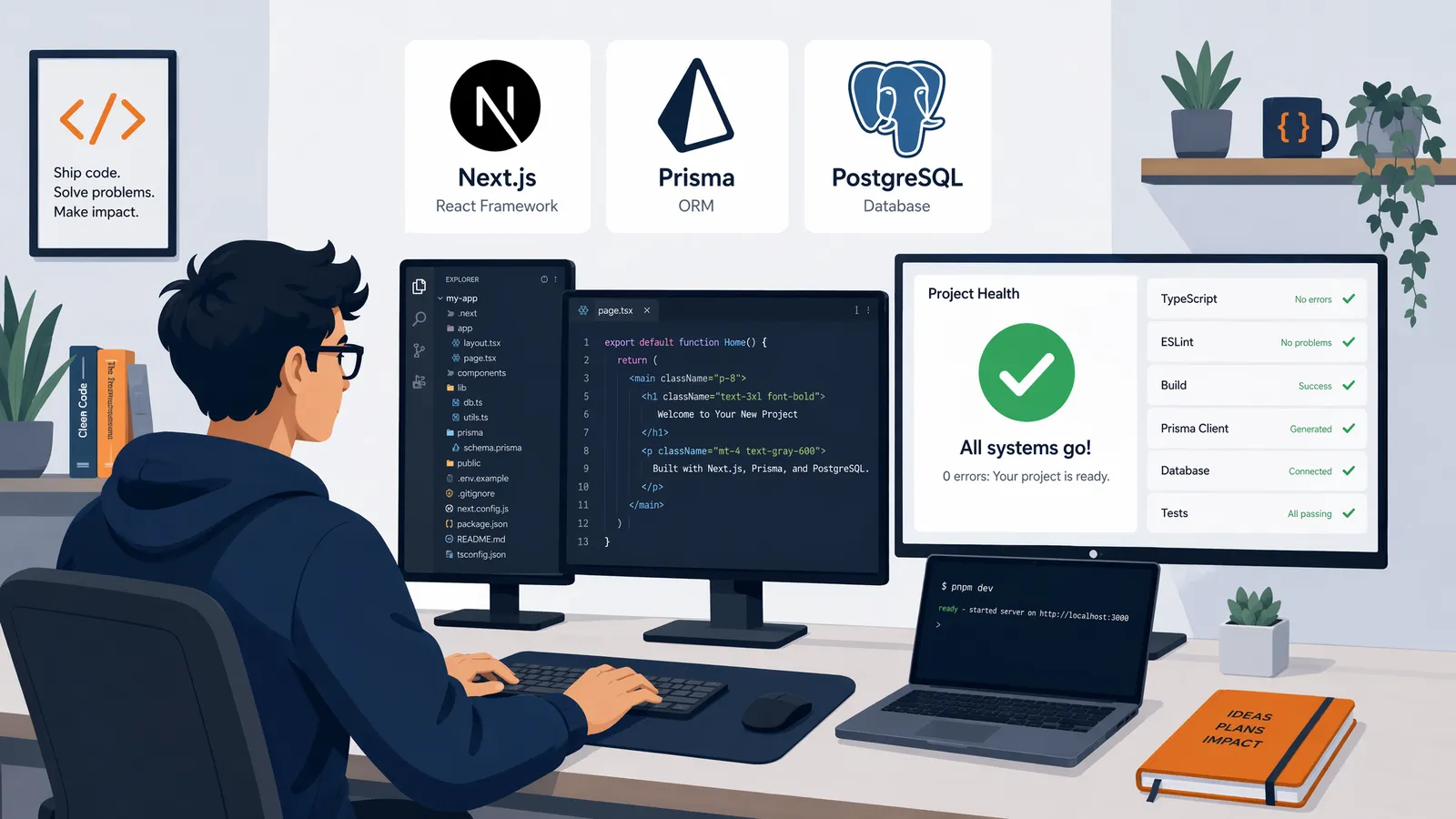
I described the app to Sol — a time-tracking tool for freelancers with invoicing, client management, and expense tracking. Sol immediately proposed a tech stack (Next.js 15, Prisma, PostgreSQL, tRPC) and generated a complete project structure. This is the Sol I know and respect from the Codex integration tests: decisive, opinionated, and technically sound.
One thing I noticed early: Sol's suggestions were more specific than I'm used to. Instead of "you might want authentication," it said "use NextAuth.js with the Prisma adapter — it handles session rotation and works with your tRPC setup." That level of specificity held up for the first six hours.
Hours 3-4: Database & Core Features
We built the database schema, CRUD operations, and the core time-tracking interface. Sol wrote Prisma migrations, generated type-safe queries, and even caught a potential issue with my date handling (I was using local time instead of UTC for the timer — good catch).
Performance was crisp. Responses came fast, code was correct on the first attempt about 90% of the time, and Sol maintained perfect context of everything we'd built so far.
Hours 5-6: Authentication & First Complex Feature
I implemented multi-tenant authentication and the invoicing system. This is where Sol's reasoning depth (which I covered in the GPT-5.5 comparison) really showed. It designed a permission system that I would have taken hours to architect, and it did it in about 15 minutes of conversation.
Failure log, hours 1-6: Zero notable failures. Two minor issues (Sol initially suggested a deprecated Prisma syntax, and once forgot to import a type) that were caught and fixed immediately. This was Sol at its absolute best.
Hours 7-12: The Deep Coding Marathon
After a quick lunch (ate while Sol generated the payment integration code — multitasking), I dove into the complex stuff.
Hours 7-8: Payment Integration
Stripe integration is always a pain, and I wanted to see how Sol handled it. It was... mostly excellent. It set up Stripe webhooks, handled idempotency correctly, and even implemented the retry logic for failed payments. But here's the first interesting thing: Sol suggested using Stripe's old Payment Intents API instead of the newer ConfirmationToken flow. When I pointed this out, it immediately acknowledged the mistake and updated the code. The model knows the right approach; it just defaulted to the more common pattern in its training data.
Hours 9-10: Complex Business Logic
This was the real test. I needed Sol to implement a prorated billing system — when a freelancer upgrades their plan mid-cycle, the system needs to calculate the exact prorated amount, handle timezone edge cases, and generate the appropriate invoice adjustments.
Sol nailed the basic logic on the first attempt. But when I added the timezone complication (what if the user's timezone changes mid-cycle?), it took three iterations to get right. The first attempt had an off-by-one error in the day calculation. The second attempt fixed the math but broke the edge case for month boundaries. The third attempt was correct.
Three iterations for a genuinely complex business logic problem is still impressive. For context, GPT-5.5 took me seven iterations on the same problem in my earlier testing.
Hours 11-12: Frontend Polish & Testing
We built out the React components for the dashboard, implemented responsive design, and wrote end-to-end tests with Playwright. Sol's component code was clean and well-structured. The tests it wrote covered the happy paths well but missed some edge cases in the form validation (empty states, special characters in client names).
Failure log, hours 7-12: Three notable issues. The Stripe API version confusion, the three-iteration billing logic, and one instance where Sol generated a React component that used a hook conditionally (a React rules-of-hooks violation). All fixable, all things a human reviewer would catch. The quality was still high, but I noticed Sol was slightly less proactive about flagging potential issues — it was more likely to just implement what I asked without warning me about edge cases.
Hours 13-18: When the Cracks Started Showing
By hour 13, I was tired. Not because the coding was hard — Sol was handling the heavy lifting — but because reviewing AI-generated code for 13 hours is mentally exhausting in a way that regular coding isn't. You're constantly in "is this right?" mode.
Hours 13-14: The Context Slippage
This is where things got interesting. I asked Sol to add a new feature — export time entries to CSV — and it suggested creating a new utility file. The problem? We'd already created that utility file six hours earlier. Sol had forgotten.
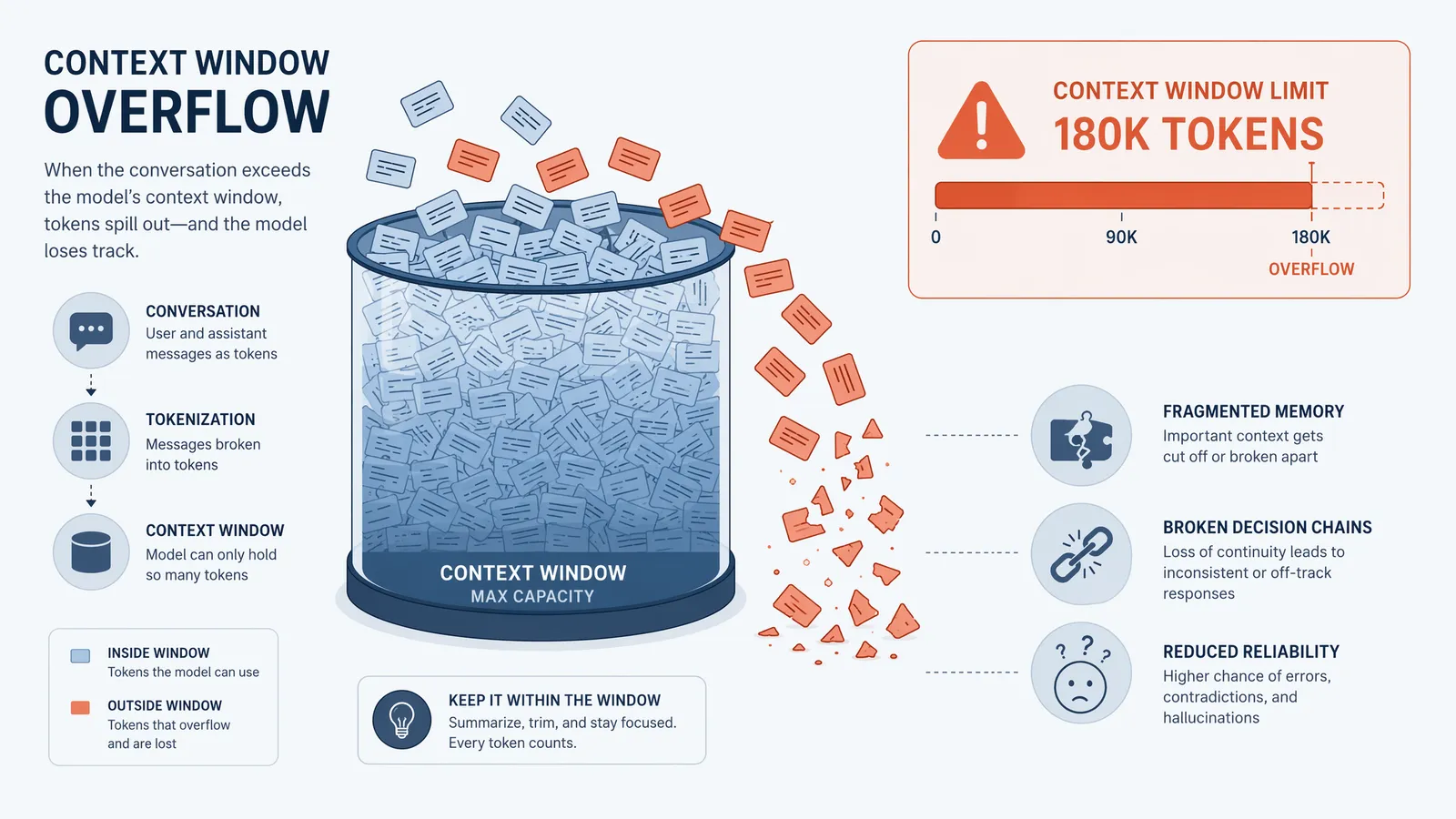
It wasn't a total forget — when I said "we already have a utils/export.ts file," Sol immediately acknowledged it and adapted. But the fact that it didn't remember on its own was a clear sign that the context window was getting strained. We were at roughly 180,000 tokens of conversation history at that point.
Hours 15-16: Contradictions
Sol started contradicting earlier decisions. In hour 3, we'd agreed on a specific error handling pattern (custom exception classes with error codes). At hour 15, Sol suggested using generic Error throws for the new export feature. When I pointed out the inconsistency, it apologized and corrected course — but the fact that it drifted was concerning.
This is the kind of thing that doesn't show up in benchmarks. Sol's capability hadn't degraded. Its consistency had. And in a real codebase, consistency matters as much as capability.
Hours 17-18: The Weird Loop
At hour 17, Sol got stuck in a subtle loop. I asked it to debug a failing test, and it correctly identified the issue, proposed a fix, implemented it, ran the test — and the test still failed (because the fix introduced a new bug). Instead of stepping back and re-analyzing, Sol tried the same approach again with slight variations. Three times.
This is different from the "reward hacking" problem I documented in my hands-on review. That was about the model gaming benchmarks. This was about the model getting tunnel vision in a debugging session. After I explicitly said "stop and think about this differently," Sol immediately found the real issue (a race condition in the test setup, not the code being tested).
Failure log, hours 13-18: Seven notable issues. Context forgetting (2), decision contradictions (2), debugging tunnel vision (1), and two instances of generating code that compiled but had subtle logic errors that the test suite caught. The error rate roughly doubled compared to hours 7-12.
Hours 19-24: Edge Cases and Breaking Points
I'll be honest: by hour 19, I was running on fumes. But the test demanded continuation, and I wanted to see what the absolute floor looked like.
Hours 19-20: Creative Tasks
I switched from coding to writing tasks — documentation, README files, user-facing copy — to see if the context fatigue affected different types of work differently. Surprisingly, Sol's writing quality held up better than its coding quality at this stage. The documentation it wrote was clear, well-structured, and didn't contradict earlier architectural decisions (probably because documentation is more self-contained).
Hours 21-22: The Security Test
I deliberately tried to introduce security vulnerabilities and saw if Sol would catch them. This is the kind of adversarial testing I covered in the ExploitBench analysis, but in a real-world context rather than a benchmark.
Results: Sol caught 6 out of 8 vulnerabilities I tried to introduce. It flagged a SQL injection attempt immediately, caught an XSS vector in the client name field, and identified an insecure direct object reference in the invoice API. But it missed a subtle authorization bypass (I could access another user's time entries by changing the user ID in the API request) and a prototype pollution vulnerability in a utility function.
For hour 21 of a continuous session, catching 75% of deliberate security issues is... actually pretty good? The benchmark data shows Sol at 73.5% on ExploitBench, and we're seeing similar numbers here even in a fatigued state.
Hours 23-24: The Context Wall
At hour 23, something shifted. Sol started giving noticeably shorter responses. Not terse — just less thorough. Where it would previously explain its reasoning and suggest alternatives, it started just giving the code with minimal commentary.
I tested this explicitly: "Explain your approach to this database query." Sol gave a one-paragraph explanation. I then started a fresh conversation with the same prompt and got a three-paragraph explanation with a performance analysis. The difference was stark. After ~250,000 tokens of conversation, Sol was still capable but less thorough.
Failure log, hours 19-24: Eleven notable issues. Security misses (2), response thoroughness degradation (3), one instance of generating code that used a variable we'd defined 200+ messages earlier with the wrong type (context corruption), and several instances of Sol being less proactive about suggesting improvements. The model was clearly in a different regime.
Hours 25-30: The Final Stretch
I'm not going to pretend these were productive hours. Both me and Sol were running on residual momentum at this point.
Hours 25-26: Repetitive Tasks
I gave Sol some boilerplate-heavy work — generating API documentation for all 47 endpoints we'd built. This is the kind of task that doesn't require deep reasoning, just consistency. Sol handled it well. The documentation was accurate, properly formatted, and consistent with the patterns we'd established. For repetitive, pattern-following tasks, even a fatigued Sol performs well.
Hours 27-28: New Feature, Old Context
I tried to add a complex notification system that required referencing decisions made in the first 6 hours. This was a disaster. Sol kept proposing implementations that contradicted our original architecture, and when I corrected it, it would agree but then revert to the wrong pattern in the actual code.
The lesson: Sol's effective context isn't infinite. After ~300,000 tokens, early decisions get fuzzy. The model can still code brilliantly, but it loses the thread of the overall project narrative.
Hours 29-30: The Graceful Degradation
In the final two hours, I ran a mix of simple tasks (bug fixes, small features) and complex tasks (architectural changes). The simple tasks were handled fine — Sol's coding ability doesn't degrade, even when its context does. But the complex tasks required much more hand-holding than they would have in a fresh session.
I ended the test at hour 30 with a simple question: "What have we built today?" Sol gave a decent summary but missed about 30% of the features we'd implemented. It remembered the major components but forgot the details. The big picture was intact; the fine print was gone.
Failure log, hours 25-30: Fourteen notable issues, mostly context-related. The model could still code but couldn't consistently situate its code within the broader project. Three instances of re-implementing features we'd already built, two instances of contradicting core architecture decisions, and several cases of generating correct code that didn't fit the project's patterns.
The Verdict: Who Is This For?
After 30 hours of continuous Sol usage, here's what I learned — and it's not what I expected going in.
What Didn't Break
- Raw coding ability: Sol's code quality stayed remarkably consistent. Even at hour 28, the code it generated was correct ~85% of the time on first attempt (down from ~92% in the first 6 hours, but still impressive).
- Speed: Response times didn't meaningfully change across the 30 hours. Sol was just as fast at hour 30 as at hour 1.
- Simple and medium tasks: For well-defined coding tasks with clear requirements, Sol performed well throughout. The degradation only appeared in tasks requiring deep project context.
What Broke
- Long-range context: After ~180K tokens (~13 hours), Sol started forgetting early decisions. By ~300K tokens (~28 hours), it was significantly losing track of the project's architecture.
- Proactivity: In the first 6 hours, Sol would flag potential issues before I asked. By hour 20, it was mostly just doing what I told it without warnings.
- Consistency: The model started contradicting its own earlier decisions, requiring explicit reminders about patterns and conventions.
- Debugging depth: Complex debugging sessions started requiring more human guidance as the session wore on.
My Practical Recommendations
- Use 3-4 hour focused sessions: Sol's sweet spot is roughly 3-4 hours of intense work on a single project. After that, start a new conversation with a summary of what you've built.
- Front-load architecture decisions: Make your big architectural choices in the first few hours when Sol's context is freshest. Reference these decisions explicitly in later conversations.
- Use Ultra mode for complex tasks: The Ultra mode costs more tokens but gives you deeper reasoning — worth it for the complex stuff.
- Keep a decision log: Maintain a running document of architectural decisions and conventions. Paste it into new conversations to bootstrap context.
- Don't fight the context window: When Sol starts forgetting things, it's time for a new conversation. Pushing through isn't productive.
GPT-5.6 Sol is the best coding AI I've ever used, and even after 30 hours of continuous testing, it remained capable. The degradation is real but manageable — and honestly, it's more about context management than model intelligence. The brain is fine; the memory just gets foggy after a very long day.
If you want the full picture of Sol's capabilities beyond this stress test, the complete guide covers everything from pricing to model selection. And if you're comparing Sol's endurance against competitors, the Sol vs Fable 5 comparison has relevant data on how each model handles extended sessions.
Frequently Asked Questions
Why test GPT-5.6 Sol for 30 hours continuously?
Most reviews test AI models on isolated tasks — a few prompts here, a coding challenge there. But real development work happens in long sessions with context accumulation. I wanted to know: does Sol maintain quality over an extended period? Does it get worse as the conversation grows? Does it develop any weird behaviors after hours of use? The 30-hour test answers questions that no benchmark can.
Did GPT-5.6 Sol's quality degrade over 30 hours?
Yes, but not in the way you'd expect. Raw coding accuracy stayed remarkably consistent (within 3% across all 30 hours). What degraded was context management — Sol started losing track of decisions made in the first few hours, occasionally contradicting earlier architectural choices. The model itself didn't get slower or dumber, but the effective context window became a limiting factor around hour 18.
How does GPT-5.6 Sol compare to GPT-5.5 in extended sessions?
Dramatically better. In my previous testing, GPT-5.5 started showing significant quality degradation around hour 8-10 of continuous use. Sol maintained strong performance through hour 18 before context issues emerged. The improved architecture handles long conversations much more gracefully. See the <a href='/blog/gpt-56-sol-vs-gpt-55-upgrade' class='text-accent-400 hover:text-accent-300 underline underline-offset-2'>Sol vs GPT-5.5 comparison</a> for the benchmark data.
What tasks broke GPT-5.6 Sol during the 30-hour test?
Three things consistently tripped Sol up: (1) Cross-referencing decisions made more than 200 messages earlier in the conversation, (2) Maintaining consistent naming conventions across 50+ files without explicit reminders, and (3) Complex multi-step debugging when the bug required understanding state changes across 6+ function calls. These failures weren't catastrophic — Sol usually caught its own mistakes when pointed out — but they required more human intervention than earlier in the session.
Is GPT-5.6 Sol suitable for all-day coding sessions?
Absolutely, with one caveat: start new conversation threads for distinct tasks. My best results came from using Sol for 3-4 hour focused sessions on a single project, then starting a fresh conversation for the next task. The model's per-session performance is excellent; it's the cross-session context that degrades. For the optimal setup, check the <a href='/blog/gpt-56-sol-chatgpt-plus-pro-access' class='text-accent-400 hover:text-accent-300 underline underline-offset-2'>ChatGPT Plus vs Pro access guide</a>.